
Saffir Clinic CRM
Bring patients back after their first visit. Segment them, reach out at the right time, and see the results.
Why CRM
Bookings come in — but nothing happens after that
Even after treatment, each patient still needs follow-up. When staff track aftercare instructions and next checkup dates one by one in spreadsheets and phone calls, it's easy to miss the right moment during busy clinic hours.
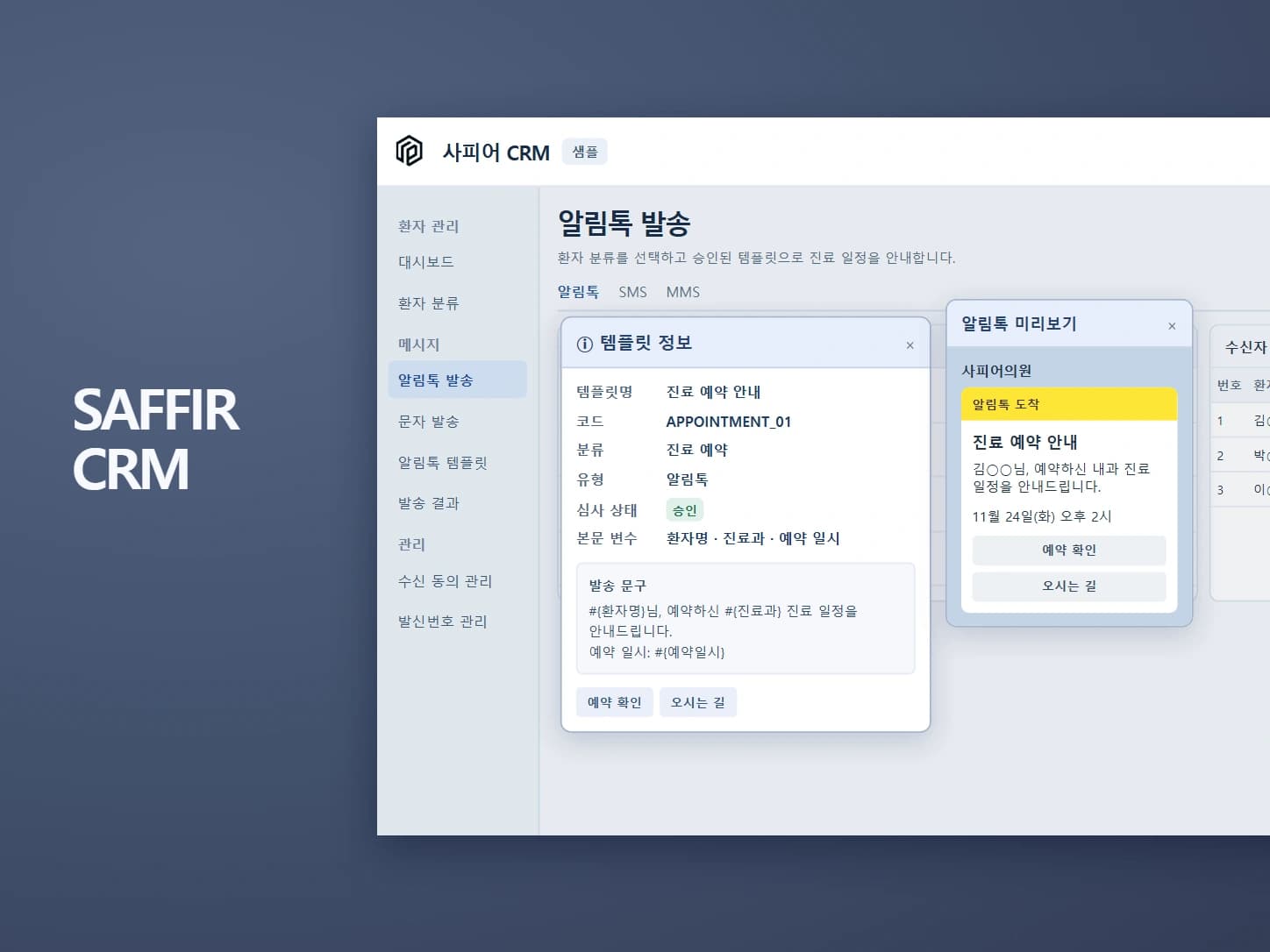
Clinic CRM segments patients by treatment and visit history and sends messages at the times your clinic sets. Delivery results and follow-up bookings appear on the same screen so you can refine your next message.
| Today | After |
|---|---|
| Bookings and inquiries come in, but contact ends once treatment is over | Patients are segmented automatically by treatment and visit history |
| Patients who should come back are missed (regular checkups, follow-up treatments) | When it's time, reminder messages are scheduled and sent |
| Staff track everything one by one in spreadsheets and phone calls | Set the recipients, message and time once, and it goes out on schedule |
| No way to know if the messages worked | See delivery results and subsequent bookings on one screen |
Features
Four ways it handles the next step after treatment

01 Patient segmentation
Segment patients by visit history
Patients are automatically sorted by criteria your clinic sets — first visits, regular-care patients, or patients who haven't been in for a while.
- By treatment and last visit date
- Assign a staff member to each segment
- Import existing patients from spreadsheets
02 Recall & aftercare messages
Messages go out at the right time
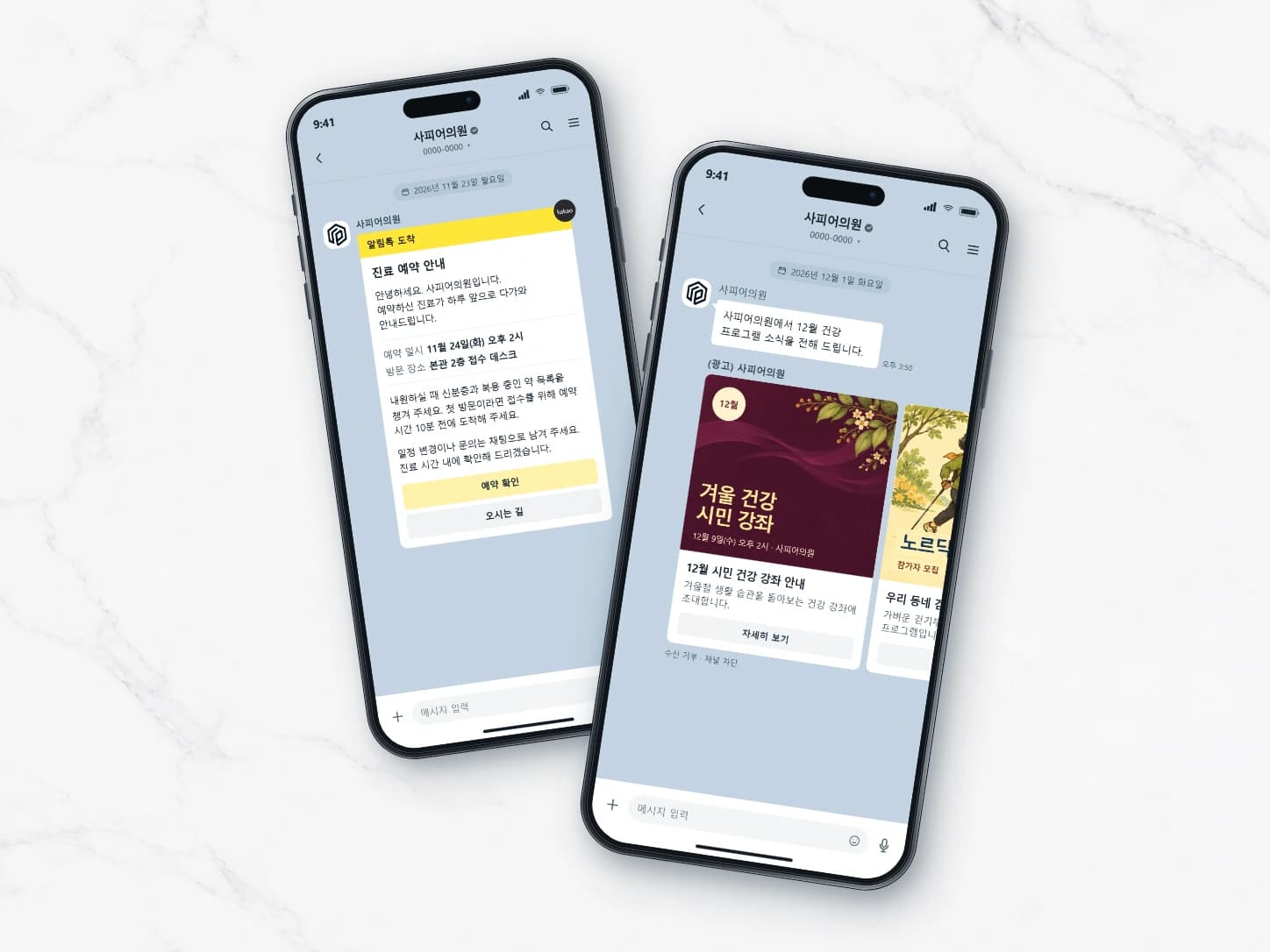
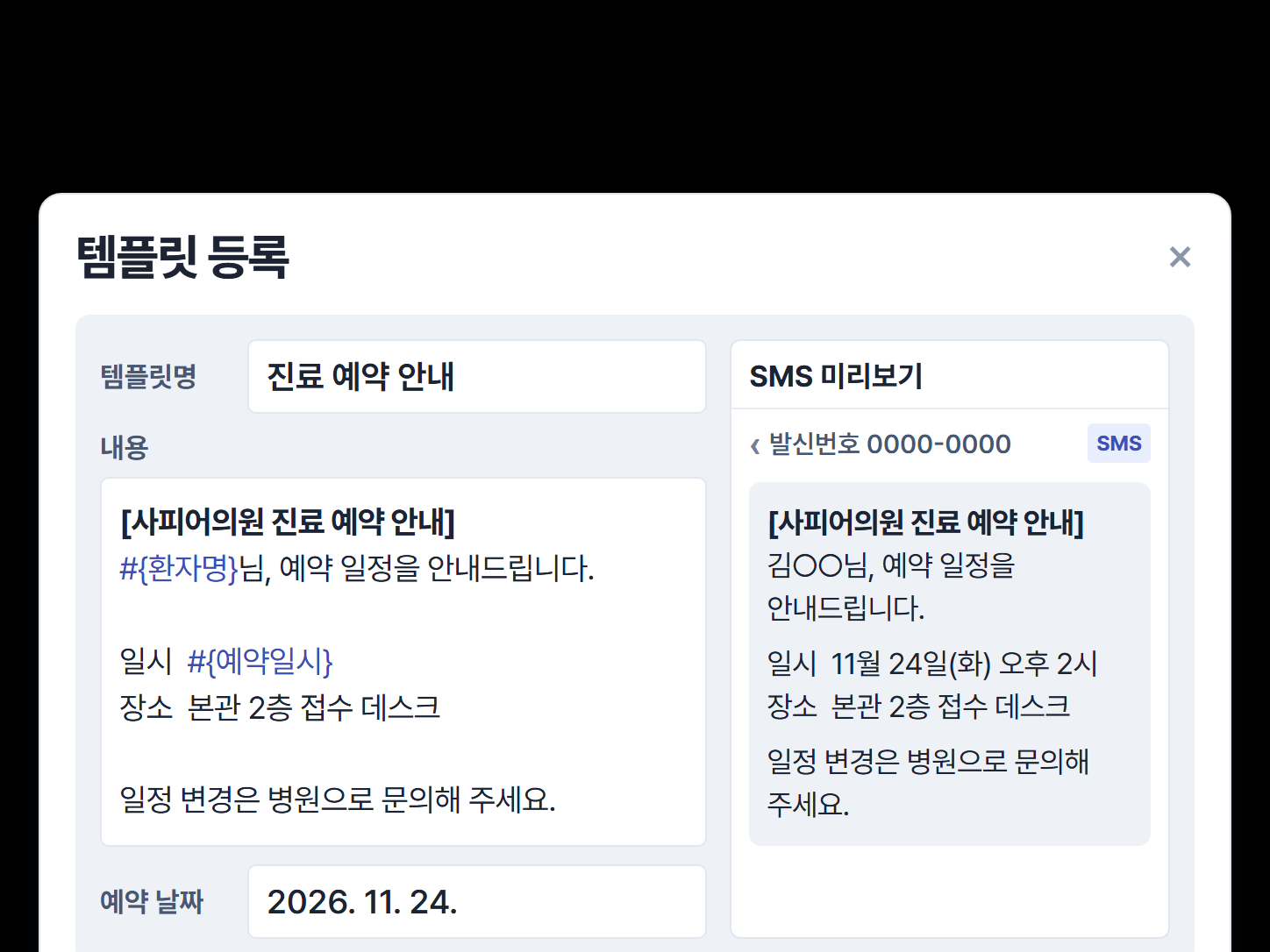
Prepare time-based messages in advance — aftercare instructions, follow-up treatment timing, regular checkups.
- Message template management
- Schedule send times
- Opt-in consent and nighttime sending checks
03 Status dashboard
See what happens after sending, on one screen
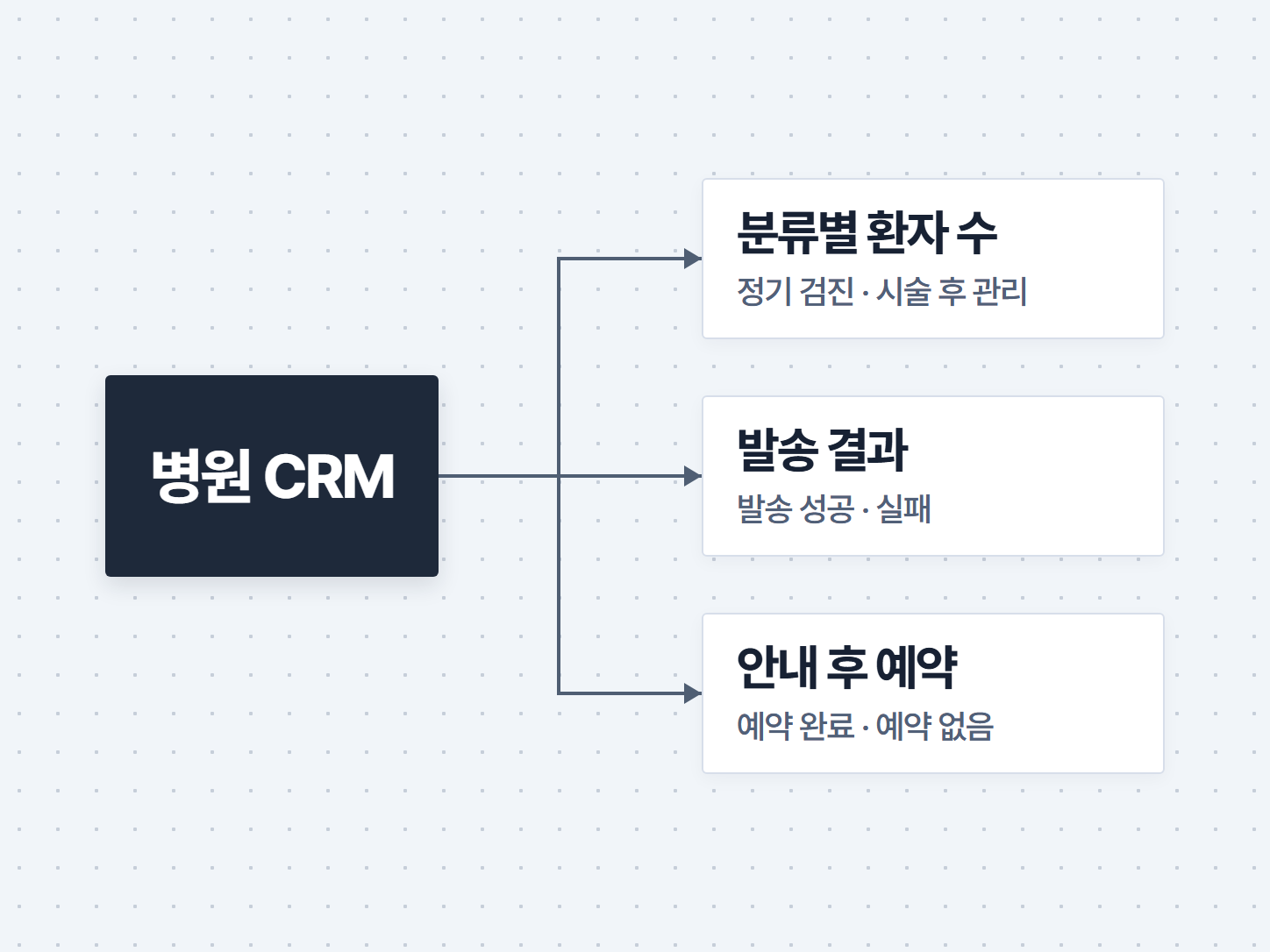
Directors and managers see patient counts by segment, delivery results and bookings after each message on the same screen.
- Patients per segment
- Delivered / failed
- Booked after the message

04 Dedicated clinic server
Patient data stays on the clinic's server
Each clinic gets its own server and database, so data never mixes with other clinics.
- Dedicated server & DB per clinic
- Encryption & access control
- Backup policy
Messages
Two ways to reach patients
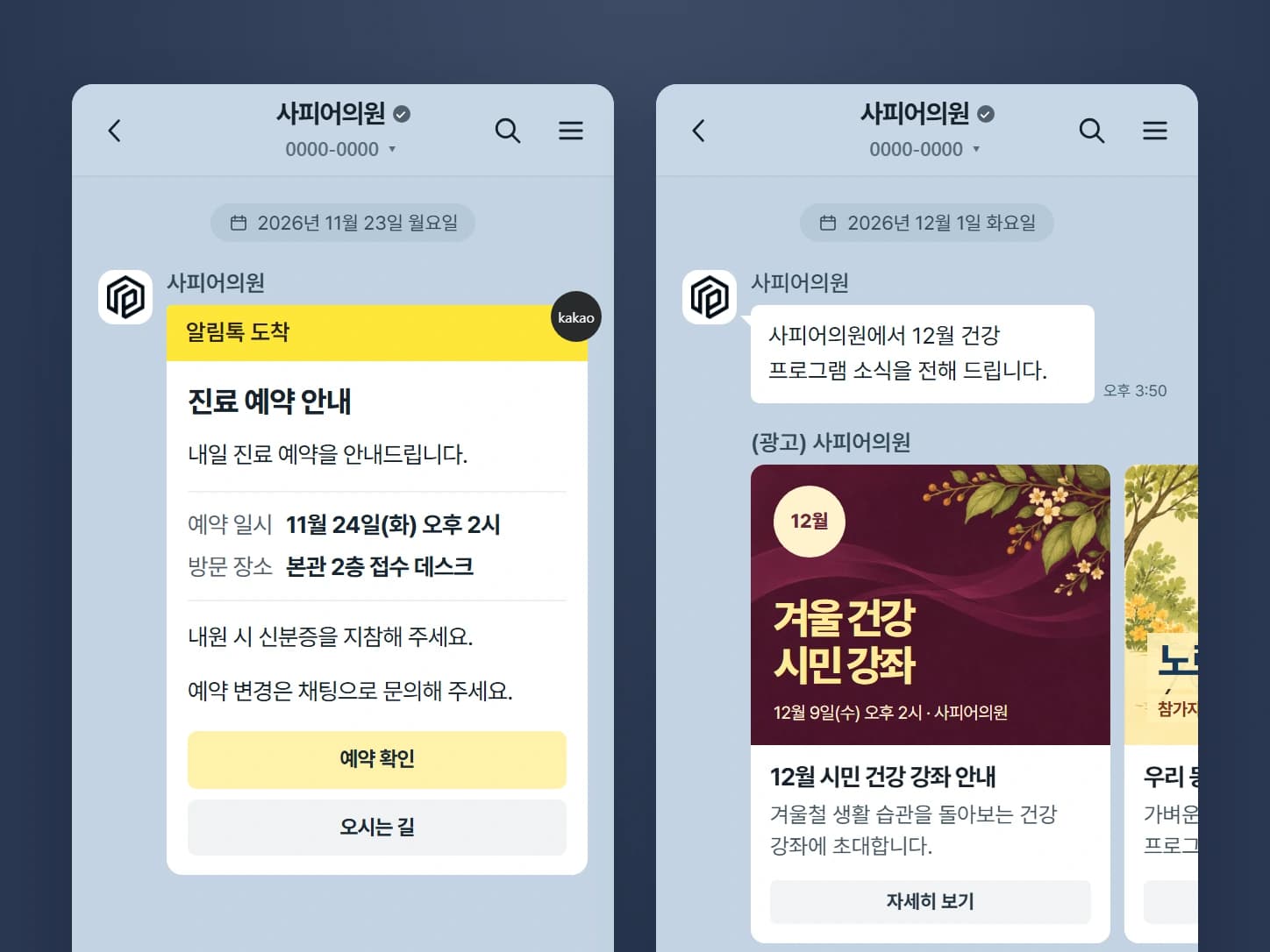
KakaoTalk notification
Information
- Used for
- Booking confirmations, checkup and follow-up reminders
- Recipients
- Patients who use KakaoTalk
- Advertising content
- Not allowed (informational only)
- What you'll need
- Clinic KakaoTalk channel, message template review
- Per-message rates
- KRW 15
Text message
Any phone
- Used for
- Patients who can't receive KakaoTalk notifications, long messages
- Recipients
- All patients with a phone number
- Advertising content
- Only to patients who opted in, with an (Ad) label and opt-out instructions
- What you'll need
- Register the clinic's sender number
- Per-message rates
- KRW 25Long message KRW 60
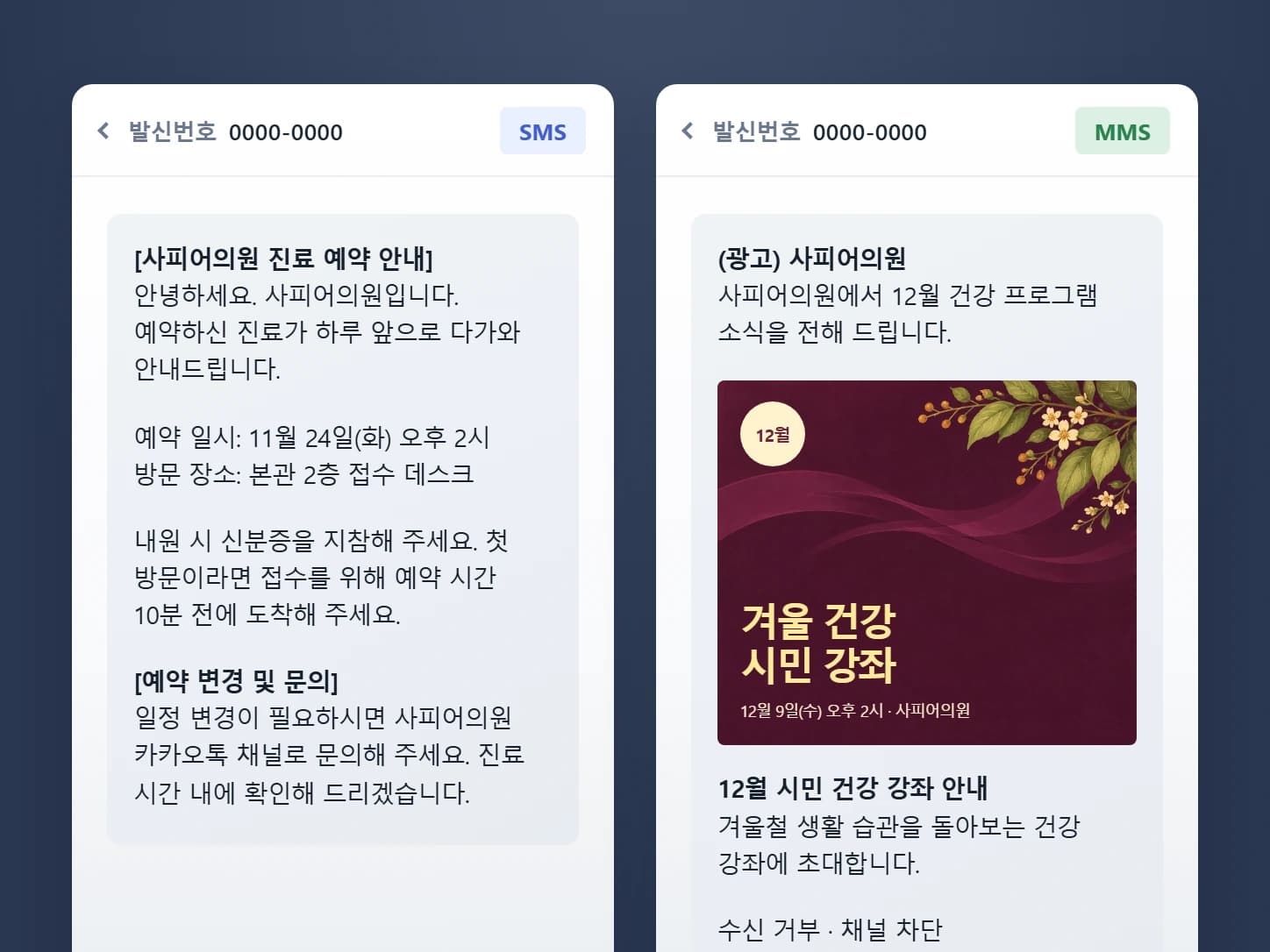
Recall messages may count as advertising, so we check opt-in consent and block sending at night (9 p.m. to 8 a.m.).
Process
From adoption to your first message
01.Demo
Try it first with a trial account loaded with sample clinic data.
02.Setup
We create the clinic's dedicated server and move your existing patient list.
03.Set the rules
We decide segmentation rules, message wording and send timing together with your clinic.
04.Operate
Messages go out on schedule, and you see server status and usage in the portal.
| Item | Details |
|---|---|
| Installation | Set up on your dedicated server. |
| Pricing | Setup fee + monthly fee + server operation fee |
| Ownership | Source code belongs to Saffir; usage rights and data belong to you |
| Review | Dedicated server shortcut, server status, monthly usage and billing in the portal |
Security
Because it handles patient data
Dedicated server & DB
Built separately for each clinic so data never mixes.
Encryption
Patient data is encrypted at rest and in transit.
Access control
Menus and information are restricted per staff member.
Backups
Regular backups with a defined recovery procedure.
Pricing
Start at the size that fits your clinic
| Product | Included | Setup fee | Monthly fee | Apply |
|---|---|---|---|---|
| Clinic CRM Basic (1–2 doctors) | Starter server included, data migration included | KRW 990,000 | KRW 220,000 | Talk to us |
| Clinic CRM Standard (3–5 doctors) | Standard server included, EMR integration by arrangement | KRW 1,650,000 | KRW 440,000 | Talk to us |
| Clinic CRM Network (multi-location) | Combined multi-location dashboard | Custom quote | Custom quote | Talk to us |
Messaging fee (per message)
- KakaoTalk notificationKRW 15
- Text message (SMS)KRW 25
- Long message (LMS)KRW 60
Questions & Answers
FAQ
Why choose Saffir for clinic CRM?
We segment patients by your treatments and visit history, and work with you to decide who gets which message and when. Staff spend less time cross-checking patient lists against sending logs, and you can see delivery results and follow-up bookings on one screen.
Where are the solutions installed?
Each one is set up on the client's own dedicated server. The Saffir portal gives you a shortcut to that server, its status and your billing.
Who owns the data?
Data in installed solutions belongs to the client.
Is patient data safe?
It's stored separately on each clinic's own dedicated server and database, with encryption, access controls and backup policies applied. See our Security & Data Policy for details.
Is it okay to send recall text messages?
Recall messages may count as advertising, so we include opt-in consent checks and a nighttime sending restriction.
Does it integrate with EMR?
EMR integration is arranged on the Standard plan.
Can I try it before adopting it?
Request a demo and we'll give you a time-limited trial account in a demo environment with sample clinic data.
How is the server operation fee set?
It's based on usage tiers (Starter, Standard, Pro, Enterprise), and billed monthly based on actual usage.
Never miss a patient who should come back
Try it with sample data first, then decide. We'll give you a time-limited trial account and discuss clinic size, EMR integration and migrating your existing data.